
101: Snap, Resize, Print, Done
Passport Photo & IDPhoto Maker
Get it on Playstore Get it on the App Store
KX Camera Team's passport and ID photo utility has become a quiet workhorse in the global travel documentation space. With over a million downloads and a four point six star rating across thousands of user reviews, the app sits comfortably among the most trusted mobile tools for users navigating the bureaucratic demands of visas, passports, driver's licenses, and standardized identification photos. The proposition is straightforward: convert any smartphone photograph into a compliant ID or passport image for dozens of countries, with the correct dimensions, head positioning, background, and print layout handled entirely within the app.
The app is positioned for international travelers, job applicants, students, immigrants, and anyone who has ever been forced to find a pharmacy photo booth at short notice. It targets the specific moment of need when official photo specifications matter, when rejected submissions cost time and money, and when the alternative, professional photography services, are either unavailable, expensive, or both.
Core Capabilities
The app's primary function is converting ordinary smartphone photos into officially compliant ID and passport images. The onboarding flow uses the device camera to capture a portrait, then guides users through the technical adjustments required for their specific document type. Background removal is automated, replacing cluttered or non-compliant backdrops with the standard white, light blue, or off-white colors required by different countries' specifications.
The country and document type selection is comprehensive, covering passport standards for most major nations, visa photo requirements for travel to popular destinations, driver's license specifications, employee ID formats, school portraits, and standardized profile photos for application forms. Each preset applies the correct dimensions, head-to-frame ratio, and background color for the selected document, eliminating the trial-and-error that frustrates users attempting manual adjustments.
The auto-detection system identifies facial features and applies the cropping and head positioning required by the selected standard. Users review the result on screen, with reference lines showing where the eyes, chin, and crown of the head should fall within the frame. Manual adjustment tools allow fine-tuning when the automated detection misidentifies facial landmarks or when lighting conditions complicate the analysis.
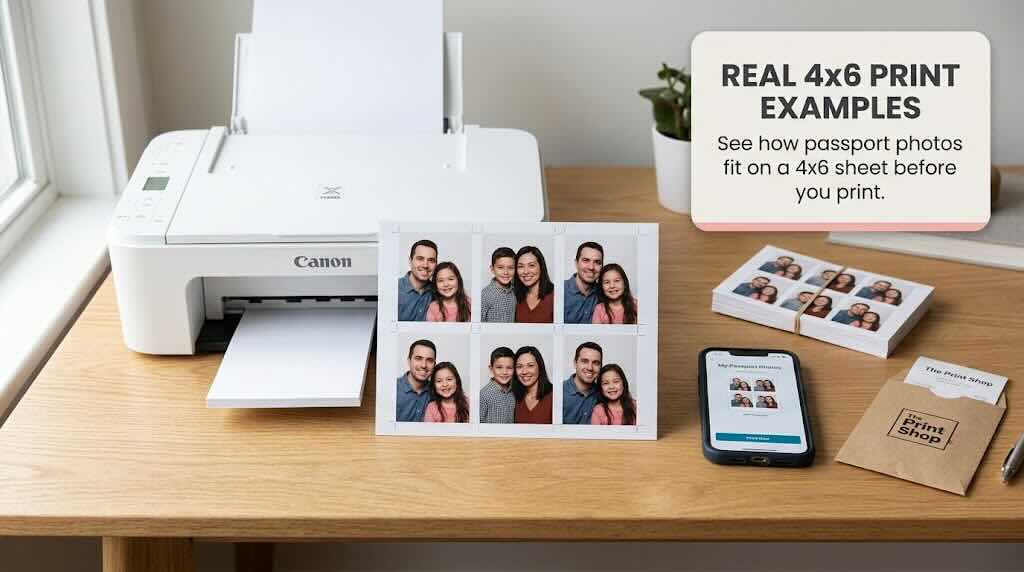
Print preparation is where the app distinguishes itself from simpler crop-and-resize utilities. The app generates print-ready sheets that arrange multiple ID photos onto standard paper sizes, with cutting guides to help users produce physical copies at home. For users without access to photo printers, the digital output can be sent to professional print services or used directly for online submissions where digital files are accepted.
The saved image is delivered in standard formats at the correct DPI for both digital submission and physical printing. Resolution is high enough to satisfy the strictest document requirements, including the larger print sizes demanded by some countries' passport agencies.
What It Does Well
The app's greatest strength is the elimination of friction in a process that has historically been inconvenient. Users no longer need to locate a pharmacy photo booth during business hours, pay inflated prices for four printed images, or schedule an appointment with a professional photographer for what should be a five-minute task. The app delivers the entire workflow from capture to print-ready output within a single interface.
The country coverage is genuinely impressive. Where competing apps focus on a handful of popular destinations, this utility supports specifications for dozens of countries, including many with requirements that are difficult to meet without specialized knowledge. The Russia-specific 35x45 millimeter standard, the United States 2x2 inch requirement, the China 33x48 millimeter format, and the India 35x35 millimeter passport photo specification are all available, with the correct background colors and head positioning applied automatically.
The automated background removal is competent in most conditions. For users with relatively plain walls behind them, the app produces clean extraction with minimal manual cleanup required. The detection system handles common lighting scenarios well, including the harsh overhead lighting that produces shadows on the background wall behind the subject.
The print layout feature saves real money. By arranging multiple photo prints onto a single sheet of standard paper, users produce several physical copies from one print job, useful for application forms that demand multiple identical photos or for keeping spares in case of rejection by the issuing authority.
The free tier provides meaningful functionality, with the core capture, adjustment, and digital export features available without payment. The premium upgrade unlocks additional country presets, higher resolution output, and removal of in-app advertisements, but the basic workflow remains accessible to users unwilling or unable to pay.
The interface is straightforward and immediately navigable. Users who need the app urgently, often because of imminent travel or document deadlines, can complete the entire process within minutes of installation, without consulting tutorials or documentation.
The four point six star rating reflects genuine satisfaction among a user base that includes travelers from dozens of countries and document types. The consistency of positive feedback across diverse use cases suggests the app delivers on its core promise for the majority of users who approach it with realistic expectations.
Limitations and Concerns
The most significant limitation is the dependency on initial photo quality. The app cannot manufacture compliance from a poor source image. Users who capture photos in dim lighting, with strong shadows across the face, with glasses reflecting the camera flash, with busy backgrounds that confuse the automated extraction, or with awkward head angles will receive substandard results regardless of the app's processing capabilities. The app improves good source photos but cannot rescue bad ones.
The automated background removal, while competent in favorable conditions, struggles with hair edges, particularly on subjects with curly, voluminous, or light-colored hair. The transition between hair and background often shows visible artifacts, with portions of the original background remaining or with chunks of hair removed along with the background. Manual touch-up tools exist but require patience and skill that casual users may not possess.
Lighting compliance is a persistent concern. Many passport and visa agencies reject photos with shadows on the face, uneven illumination, or the harsh glare of direct flash. The app cannot correct problematic lighting in the source image, leaving users responsible for achieving suitable conditions during capture. The in-app guidance recommends good lighting but does not provide real-time feedback during capture to help users identify problematic conditions.
The country database, while extensive, occasionally lags behind regulatory changes. Document specifications are updated periodically by issuing authorities, sometimes with subtle changes to background color, head positioning tolerances, or image resolution requirements. Users applying for time-sensitive travel documents may find that the app's preset for their destination does not match the current official standard, particularly for countries with recently modified requirements.
The premium pricing structure, while not unreasonable for users with ongoing document needs, can frustrate occasional users. The most useful features, including the highest resolution exports and the cleanest print layouts, are reserved for paying subscribers. Users who need a single compliant photo for an immediate application may find the free tier insufficient for their requirements.
Advertisement placement in the free tier is intrusive, with full-screen advertisements appearing between processing steps and at moments when users are attempting to save or print their final images. For users with urgent document needs, these interruptions are particularly frustrating. The advertisements also occasionally appear during the photo capture flow, increasing the risk of users capturing a poorly-timed image.
The print size accuracy depends on the user's printer. The app generates correctly dimensioned layouts, but actual physical output depends on printer calibration, paper size settings, and the user's choice of borderless or standard printing. Users with poorly calibrated printers may find that their printed photos are slightly oversized or undersized, potentially leading to rejection by issuing authorities.
The face detection system occasionally misidentifies facial features in photographs of children, elderly subjects, or people with facial hair, hats, or head coverings. While the app allows manual adjustment, the initial automated result may be far enough from compliance that significant manual correction is required, increasing the time investment for users.
Competitive Positioning
The passport photo app category is more crowded than the niche might suggest, with multiple competent utilities competing for users. The most direct competitors include Passport Photo Maker, ID Photo applications from various developers, and built-in features within larger photo editing suites.
Against dedicated passport photo apps, this utility wins on country coverage and print layout features but loses on the sophistication of background removal algorithms. Competing apps with more advanced AI-driven background extraction produce cleaner results on challenging source images, particularly with hair edges and complex backgrounds.
Against general photo editing applications that include passport presets, this utility offers a more focused workflow. Users do not need to navigate complex editing interfaces to produce a compliant image, and the country-specific presets eliminate the need for users to research official specifications independently.
Against professional photography services, the app offers convenience and cost savings rather than quality. A skilled photographer with proper equipment and lighting will produce more compliant images with fewer artifacts, but at higher cost and with greater scheduling difficulty. The app is the better choice for users with straightforward needs and reasonable source image quality.
Against pharmacy photo booths and dedicated ID photo services, the app wins on convenience and availability but loses on the assurance of physical print quality. Users in urgent need of printed photos for immediate submission may find professional services more reliable, while users planning ahead benefit from the app's flexibility.
Target Audience
The app is ideally suited for international travelers preparing visa or passport applications, job seekers requiring standardized headshots for application forms, students applying to international programs, immigrants navigating residency documentation, and anyone who has discovered a document requirement at short notice and needs a compliant photo immediately.
It is not recommended for users who need guaranteed compliance for high-stakes submissions without any risk of rejection, users whose source images are of poor quality and cannot be recaptured, or users who need physical prints from a source they cannot trust to a home printer. The app reduces friction and cost for the majority of users but does not eliminate the underlying requirements for decent source images and competent printing.
Verdict
KX Camera Team's passport and ID photo utility is a focused, competent tool that delivers on its core promise. The million-download scale and four point six star rating reflect genuine user satisfaction with an app that makes a tedious bureaucratic task faster and cheaper. The country coverage is comprehensive, the print layout feature is genuinely useful, and the automated processing produces acceptable results for the majority of source images.
The app is not a substitute for professional photography in demanding situations, and the dependency on source image quality remains its fundamental limitation. Users with reasonable photography conditions and basic technical comfort will find the app a reliable solution. Users with challenging conditions or strict compliance requirements should still consider professional services for the most important submissions.
For the broad middle ground of users who need a compliant ID photo without the cost and inconvenience of a professional service, the app is a clear recommendation. It is the kind of utility that pays for itself the first time it is used.
Rating: Seven point five out of ten. A reliable, well-designed utility with comprehensive country coverage and a useful print layout feature, constrained by the inherent limitations of automated photo processing, occasional artifacts in background removal, and an intrusive free-tier advertising experience. Recommended for travelers, job seekers, and anyone with straightforward passport or ID photo needs.