
36: Audio Player That Looks Like 1987, Works Like 2025
Casse-o-player
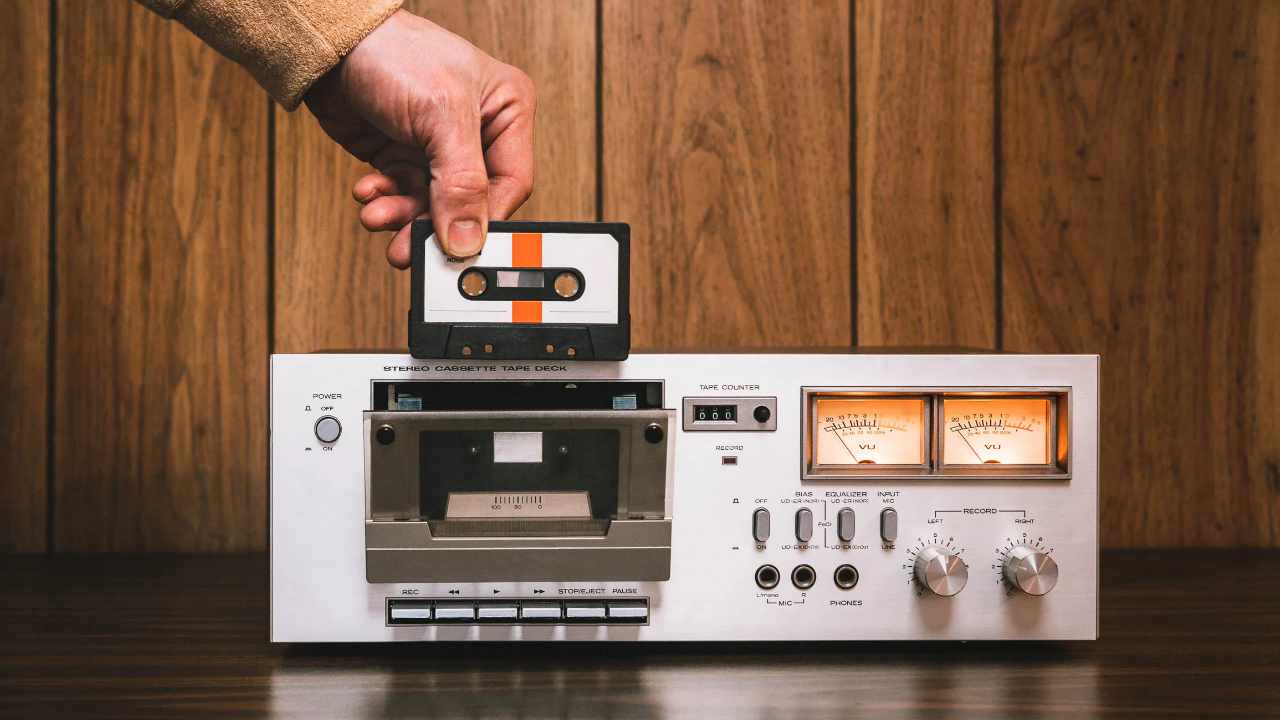
Some apps chase nostalgia with a sticker pack or a filter. Casse-o-player goes the whole yard: it turns your phone into a Walkman that never needed new batteries. The moment it opens you see a grey plastic shell, two spools that slowly rotate, and an orange level meter that bounces with every beat. It is gimmicky—until you press play and realise the sound engine underneath is serious hi-fi gear.
First Spin
Install is quick: 12 MB, no account, no permission beyond storage access for local files. A brief tutorial shows how to flick the cassette door open, slot in a “tape” (any folder or playlist), and press the chunky PLAY ► button. The reels spin, the tiny tape counter ticks, and your chosen track fades in with a gentle Dolby-style hiss you can disable if it feels too cute.
Visual Craft
The developer clearly measured a real late-80s Sony. Every screw, ridge and mould line is present. The PLAY button depresses with a subtle shadow; the rewind spool spins faster as you hold FF; the door shuts with a soft clunk vibration if haptics are on. AMOLED screens make the black tape window disappear, leaving only the silver bezel—an accidental but perfect illusion.
Audio Engine
Beneath the retro skin sits a modern 10-band equaliser, gapless playback, 32-step pre-amp gain, left/right balance, and support for FLAC, ALAC, WAV, OGG, MP3, AAC and even Opus. A “Virtual Tape Saturation” dial adds gentle compression and high-end roll-off, mimicking the warmth of Type II chrome cassettes. Purists can leave it at zero; vintage heads can crank it until hats hiss like vinyl.
Library Management
The app scans storage once and presents music in three tabs: Albums, Artists, Genres. Swipe left and you see a “Mixtape” screen—drag any tracks here to create a playlist that looks like a hand-labelled C60. You can export the mixtape as an M3U or share a PNG of the cassette spine, perfect for Instagram stories.
Useful Touches
Sleep timer: the reels slow to a stop before playback fades.
Auto-pause when headphone is yanked: the door pops open in animation.
Landscape mode: full cassette deck with level meter glowing orange.
Widget: a tiny 2×1 cassette that sits on the home screen and actually winds.
Android Auto & Wear OS support: the same reels appear on your watch or car display, minus the animations for safety.
Ads & Monetisation
There is a single skippable interstitial when you first open the library; after that only a small removable banner at the bottom of the player screen. A one-time “pro” unlock (price of a coffee) removes the banner and adds a few extra skins: transparent shell, metal Nakamichi, or a bright red TDK SA-90.
Battery & Performance
An hour of local FLAC playback consumed 3 % battery on a Pixel 7a—comparable to Poweramp and slightly better than Musicolet. The reel animation caps at 30 fps to save juice; if you disable visuals the app is almost identical to any lightweight offline player.
Pros:
- Museum-grade cassette UI with satisfying micro-animations and haptic feedback.
- Gapless, hi-res playback (FLAC, ALAC, WAV, Opus) plus 10-band EQ and virtual tape saturation.
- Tiny install (12 MB) and gentle battery use; animations can be disabled for extra savings.
- Mixtape builder exports to M3U and shares PNG spine artwork—great for social posts.
- Sleep timer, headset auto-pause, landscape deck view, and a live home-screen widget.
- Single cheap one-time purchase removes ads; no subscription treadmill.
- Android Auto & Wear OS support keeps the retro vibe on car dash or watch.
Cons
- Local files only—no Spotify, Tidal, YT Music or cloud streaming integration.
- No lyrics, no album-art downloader, no smart AI playlists.
- Cassette metaphor may feel gimmicky if you never touched a real tape.
- Widget and reel animations (though light) can still drain older phones if left visible.
- Limited codec tweaking beyond the EQ and saturation dial; no Replay-gain or advanced DSP.
- No cloud sync or cross-device library backup—changing phones means re-scanning.
Who Will Love It
Anyone who grew up making mixtapes and misses the ritual.
Design geeks who want their music app to be a conversation piece.
Audiophiles who need gapless, hi-res support but like a dash of nostalgia.
Who Can Skip
Stream-only listeners (no Spotify, Tidal or YT Music integration).
Users who want cloud sync, lyrics display, or smart playlists driven by AI mood.
Final Word
Casse-o-player proves that nostalgia doesn’t have to be shallow. The cassette metaphor is executed with museum accuracy, yet the audio engine underneath is modern and unashamedly hi-fi. If you keep local music files and you remember the joy of slotting a new tape into a Walkman, this app belongs on your home screen. Press play, watch the reels turn, and let the 80s breathe into 2025 headphones.